Penfessionals are committed to provide to their clients the highest level of professionalism and creativity in our writing and editorial services in order for them to achieve their most ambitious goals in business and everyday life.


Monday, December 7, 2009

Wikipedia: Defining "Active and Passive" voice! by Ryan S.


Wikipedia, the poor man's dictionary or all encompassing "know-it-all" on the web! Either way you look at it, there is a TON of information on that site. http://www.wikipedia.org. I have been tasked with using Wikipedia to explain Active and Passive voice, as it pertains to Wikipedia and everyone who has contributed to it.

First off, for those of you who have no idea what Wikipedia is (Where have you been?!), let me explain. It's a free, web-based, collaborative, multilingual encyclopedia project supported by the non-profit Wikipedia Foundation. It's a website where anyone from all over the world can post information pertaining to events, history, etc.

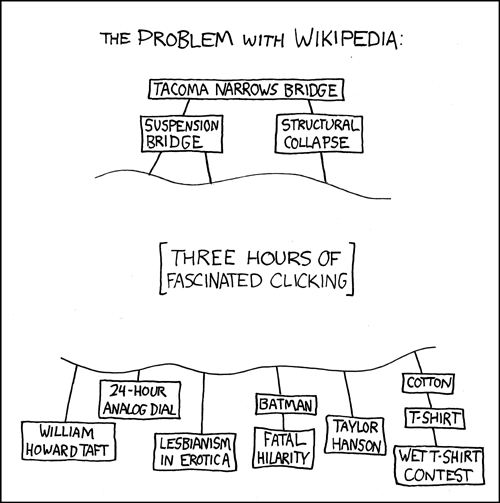
COOL PIC ABOUT WIKI

All you need to do is sign-up and WALL-LA! So now that we know what Wikipedia is lets continue on to the "Topic" at hand!

The following words defined by Wikipedia:

Active Voice:
In grammar, the voice (also called diathesis) of a verb describes the relationship between the action (or state) that the verb expresses and the participants identified by its arguments (subject, object, etc.). When the subject is the agent or actor of the verb, the verb is in the active voice. When the subject is the patient, target or undergoer of the action, it is said to be in the passive voice.

For example, in the sentence:

The cat ate the mouse.

the verb "ate" is in the active voice, but in the sentence:

The mouse was eaten by the cat.

the verbal phrase "was eaten" is passive.

Passive Voice: In English, as in many other languages, the passive voice is a grammatical voice in which the subject receives the action of a transitive verb. Passive voice emphasizes the process rather than who is performing the action. Passive (or passive verb[1]) refers more generally to verbs using this construction and the passages in which they are used. In English, a passive verb is periphrastic; that is, it does not have a one-word form, but consists of an auxiliary verb plus the past participle of the transitive verb. The auxiliary verb usually is a form of the verb to be, but other auxiliary verbs, such as get, are sometimes used. The passive voice can be used in any number of tenses. The process of changing an active verb into a passive one is called passivization. Passivization is a valence-decreasing process, and it is sometimes referred to as a detranzitivizing process, because it changes transitive verbs intro intransitives.[2]

In the following passage from the Declaration of Independence, the passive verbs are bolded, while the active verb hold and the copulative verb are are italicized:

We hold these truths to be self-evident, that all men are created equal, that they are endowed by their Creator with certain unalienable Rights, that among these are Life, Liberty and the pursuit of Happiness.

One can still introduce the actor of a passive verb using a by phrase as was done in the example above. When such a phrase is missing, the construction is called an agentless passive. Agentless passives are sometimes preferred in official writing because they are less confrontational, for instance when announcing someone's firing. Agentless passives are also used in scientific writing, where they are intended to provide an objective description in terms of processes rather than people. Using an agentless passive, a scientist may write:

The mixture was heated to 300 °C.

without saying who actually did it, which is (or should be) irrelevant as far as the scientific process goes. This approach to scientific writing is not universally accepted, and some US organization, like the The Council of Biology Editors, have called for a more direct, active voice approach. Another entrenched use is the double passive construction used in American court reporting.[1]

The active voice is the dominant voice in English at large, and many commentators, notably George Orwell in his essay "Politics and the English Language" and Strunk & White in The Elements of Style, have urged that the use of the passive voice should be minimized. However, there is general agreement that the passive is useful when the receiver of the action is more important than the doer.[3]

In closing please note one thing, and that is that Wikipedia is free but also some of the information is not 100% accurate so please check the sources. Thank you!


References: http://en.wikipedia.org/wiki/What_is_wikipedia
http://en.wikipedia.org/wiki/Passive_Voice
http://en.wikipedia.org/wiki/Active_Voice

Are your resources worthless? Brandon Collier


We all have had those dreadful research papers to write. You know the ones, there the ones you have to look up all the random information that you will probably just forget about the second your done writing your paper. But how do you find that information and know if it is worthy of making it into your paper? Well you’re just in time!!! I have put together a few ideas that may help you find and evaluate the material that you use in your research paper.

· Books – In general books are a great source of information. But take into consideration who wrote the book. If it is an encyclopedia or a book published by a school or library it is almost certain that you may use it. But be careful with using other books the more you read up and understand a subject the more you will know if you can trust a certain material or not.

· Internet – The internet is full of information at your fingertips. But is that information correct? Again if the information is from an encyclopedia site it is most likely okay to use. But if is from a site such as Wikipedia it is probably not what your professor or reader is looking for. Sites like Wikipedia allow anyone to put information on there.

· Journals/Newspaper – Journals and Newspapers are another great way to find information. But in doing so you have to take a few things into consideration. One thing would be the way they write. You need to know whether the writers of a certain newspaper or journal are biased in the way they present the material. If so this is probably not the best thing to use. If you do use this source you may want to say something about it in your writing.


Hopefully these few tips can help you in all of your research paper writing needs.


Citation
Lombardi, Esther. "How to Evaluate Sources". About.com. November 18, 2009 .

Here are some pointers to become a successful business writer from Daniel R


The most import advice I can give to someone trying to become a successful business writer is get to the point. You need to make your writing flow as if you were talking; by keeping it simple it makes it easy for the reader to comprehend.

One way to become successful at writing whether it is business writing or any other kind of writing is keep your work organized. I know in my work if I am not organized it is easy for the reader to know that I am not. To help organize your work your can think differently, instead of thinking of all the stuff you want to say, tell the reader what they want to know. Organization essential is another way of keeping it simple and to the point.

To me business writing is all about how you say it. There are other ways to get your point across to the reader other than being negative. Here are some tips from SyntaxTraining, "state what to do- not what to avoid", "say what you can do- not what you can't", "use neutral instead of blaming language". Being positive will come off to the reader a lot better than blaming them or being negative.

Just like in the last paragraph the writer needs to know where and when to put passive words. Knowing where to put passive words helps the writer not look intimidated or harsh. Being able to change wordy phrases into direct ones also helps keep your writing straightforward. The time to use passive phrases is when you don't know who did the action, when it doesn't matter who did the action, when your trying not to blame someone, or if you want to be less directive.

I think if you follow these steps you can be on your way to becoming a successful business writer. You need to keep your work simple and to the point, organized and easy to read, and know when to be directive or passive.


References:
http://www.syntaxtraining.com/business_writing_tips.html
http://www.businesswritingblog.com/business_writing/writing_tips/

Tips On How To Work For More Than Just Tips - By Takamasa Y and Brandon C

Here is a movie that gives you tips for your next job interview. Enjoy!

Thursday, December 3, 2009

Leah K. Guidelines for Writing Technical Instructions

The title, Guidelines for Writing Technical Instructions, sounds scary, right? Well it doesn't have to be. Chances are someday you might have to use this stuff someday! One of the most common and one of the most common uses of technical writing is instructions. Remember all those step-by-step explanations of how to do things like creating something, operating something, and fixing something. I sometimes have been infuriated with poorly written instructions, causing more harm than good! That is the result of horribly written technical instructions. I would hate for any of my readers to fall into that fate. Let's jump right into the guidelines!


1. Determining Preliminaries

-This includes defining your audience and readers. Determine if you consider them experts, technicians or non specialists. In other words, if I were writing instructions for using facebook for a group of elderly people, I probally would have to start with "press glowing button to turn on computer."
-An important consideration is how many tasks there are in the procedure you are writing instructions for. Some instructions have only a single task, but have many steps within that single task. I have put together a desk where there was over 50 steps! A nice way to handle this is to group similar and related steps into phases, and start renumbering the steps at each new phase.

2.Common Sections of Instructions
Rather than writing it all out, you can see exactly how the sections should be lined up! Enjoy!


3. Introduction
The first section needs to indicate a few things to the readers.
-The specific task that will be explained.
-The level of expertise the reader needs.
-General idea of what the process accomplishes.
-Indicate when the instructions should not be used.
-Provide general warnings. (Ex: assembly of a electric fence might indicate a shocking factor.)

4. Equipment and supplies
Most instructions include a list of materials and equipment you will need to complete a task. I, like most people, skip over the materials and right to the procedures. I usually find myself having to run to the store in the middle of the project for missing materials!

5. Choose A Step Style
Fixed order steps are steps that need to be presented in the order they need to be performed. Those are my favorite. Variable order can be performed in any order. Nested steps are lengthy processes that need to be broken into subsets using letter and numbers. Every once in a while I run into "stepless" steps where the information is scattered everywhere.

6. Make it Easier for the Reader

Use graphics and picture to guide the readers! We all know that a picture is a thousand words, and a picture is the best suggestion I can give anyone on writing technical instructions. Also, format your instructions with bolding to provide emphasis on certain important notices.

This is an example of a person using interactive media to create technical instructions on Micrsoft Word.

Could technical writing be any easier? Well now it is easy for you and your readers!


http://www.io.com/~hcexres/textbook/instrux.html

Monday, November 30, 2009

Jessica T's Job Skills Checklist

A job skills checklist is a group of skills that are listed out, making it easier for someone to be able to come up with skills. Then you circle all the skills that apply to you & put down some examples of how you used the skills you circled. The skills that are listed on the checklist are put into categories by job description.

http://www.youtube.com/watch?v=L6aXkyqzDMY

Job Skills Checklist
Company Name:
Open Position:
E-mail:
Phone Number:

Seeking/ Filling
Sales
Marketing
Operations Management
Consulting
Other

Professional Skills
Consulting
Bar code Implementation
Design Specifications
Field Service Technician
Network Configuration

Product Experience
Motion control
Robotics
Motor Drives
Network Products
PLCs

Design/ Drafting Tools
Rebis
RSWire
Via
SolidWorks
CimLogic

Languages
Chinese
English
French
German
Spanish

Ryan S presents; Sample Letter of Acceptance for a J.O.B.


The day's are winding down, we are signing up for commencement (have you?!) and have hopefully began are job search (months ago!). In the past few week's a few students have written some great blogs on such matters as. "Job Interview Tip's" by Leah, and Jessica decided to be "Super Student" one week and submit not one, but two blogs "Preparing an Effective Resume", and "Preparing an Effective Cover Letter." way to go CHAMP! ;)

So what do you/we/me/her/him do next, once a job offer has been presented/offered to you? Well write an "Acceptance Letter" of course. Below is an example of a proper acceptance letter.


As one can tell this is a very clear, short, and to the point Acceptance Letter. It should be noted that when writing an Acceptance Letter to re-state clearly the following...


  1. Thanks and appreciation for the opportunity
  2. Start date
  3. Agreed upon salary
  4. Any benefits, bonuses etc
  5. And any other promised/agreed upon terms


Why you might ask? Because an Acceptance Letter is, in a way, a contract between two parties (you and your future employer), informally. If one party should fail to deliver on, one or more said, promises then one has reason to seek possible legal action. Does this type of thing happen often? No, at least I would say 99% of the time it doesn't (that's my own random stat). Could it happen, yes.

For instance it happened to me once. I'll spare you the whole messy details and skip to the short of it. I took a job offer, and I and my future company both agreed verbally that a curtain amount of money would be provided for a car allowance after six months of employment. Once the six months came around they tried to back track and say something different and since I never had it formally in writing I was pretty much S.O.L. Eventually I received what was promised to me, but in the long-run the damage was done and I left the company. This all could have been avoided if I had proof of what was agreed upon before working for this company, one way would have been within a "Formal Acceptance Letter".

So when the day come's to accept your first real "Big Girl/Boy" job remember that an "Acceptance Letter" is good business etiquette. If nothing else it's to reinforce agreed upon terms and conditions for your sake!


References:
http://www.quintcareers.com/sample_accepting_letter.html
http://jobsearch.about.com/od/careeradviceresources/qt/jobaccept.htm
IMG: http://campusapps2.fullerton.edu/Career/images/jobsearch/letter_06_accept.gif

Daniel R's What the letter looks like if you get rejected


Sample Rejection Letter to Job Applicant

Date:

Name of Applicant
Address

Dear (Name of Applicant):

We appreciate you applying for the position of (specify) at ABC Company.

Unfortunately we interviewed many applicants in the job search process and hired another individual whose credentials and qualifications were better suited for our needs.

Thus we will not be offering you the position, but thank you for your interest.

If a need arises for us to contact you in the future, we will do so and you have our continued good wishes.

Very truly yours,


HR Professional


A rejection letter entails a few things. It should first of all include the applicants name and what they were applying for. The letter should be written to let the applicant down nicely so that is not rude. When writing a rejection letter try not to write anything that can be taking the wrong way. The letter should be clear though so the applicant is clear whether they have received the job or not. If possible you can include something to help out the applicant in the future or leave it on a good note; like in this one. Rejecting some one on a good note helps keep a friendship between the applicant and the employer.

Resources:
www.acadweb.wwu.edu/HR/.../SAMPLEREJECTIONLETTER.doc
http://smallbusiness.findlaw.com/business-forms-contracts/business-forms-contracts-a-to-z/form1-15.html

Sunday, November 29, 2009

Leah K. Tips on How to Write Correctly


I can admit it, we all can admit it. When any type of writing assignment is due, the first thing we all do is run to our computers and start hammering away (granted all of our necessary research is finished). I'll even admit right now I am typing directly into the blog post box with out even thinking twice about grammar. While normally this is acceptable, it is not always professional. Here are the important points to tune into for the next time you start tapping the keys at record speed.

1. Don't trust the spell checker
I always do, and it usually comes and bites me in the behind. A spell checker just can not catch everything. Computers are getting smarter and smarter, but nothing can beat the power of a friend proof-reading allowed...I mean aloud. Good thing I re-read this and caught that! Phew!

2.Learn how to use their, there and they're correctly
It seems silly, but many of times this is a huge pet peeve of teachers. I would assume in the workplace it is not difference. Using the wrong their, they're, or there makes anyone seem...well...ignorant. Quick lesson: their is used in possesion, there is a location, they're is used for they are. That's all that needs to be said.

3. Follow Capitalization Rules
We have all been there... typing away and suddenly forgetting punctuation rules. Do I capitalize principal? Proper nouns, a person's title when preceeding a name or following it, and direct addresses are all capitalized. An example of a direct address would be, "How are you, Doctor."
Quiz time on Capitalization!
Which is correct capitalization?
A.The governors, lieutenant governors, and attorneys general called for a special task force.
B.Golden gate bridge
C.Ms. Haines, chairperson
D.Will you take my temperature, doctor?

The correct answer is A, capitalize the titles of high-ranking government officials when used with or before their names. Do not capitalize the civil title if it is used instead of the name.

4.Remember the commonly confused words
affect vs. effect
Use effect when you mean bring about or brought about, cause or caused.
Example: He effected a commotion in the crowd.
Affect is used as a noun to mean emotional expression.
Example: She showed little affect when told she had won the lottery.
You can find an entire list of words on the website http://www.grammarbook.com/homonyms/confusing-words-1.asp.

5. Write Effectively
I thought this writing stuff was so simple, turns out there are so many mechanics to it. Effective writing pertains to writing more concrete sentences versus vague ones, keeping the tenses all the same. So many times have I switched up my tenses and not realized it till my teacher pointed it out.

With these tips, everyone should be just fine tapping away.


http://www.grammarbook.com/

Monday, November 23, 2009

Jessica T's Tone in Business Writing

Tone in Business Writing:

The tone of a document could be defined as an attitude/ emotion towards the subject being discussed and the reader. The tone of a document is important since it carries the message across to the reader. Some good questions you can ask when determining the tone you wish to prevail are: what is the reason you are writing the document, what you want the readers to take from reading your document/ do and who is the audience?

1. Business writing should be short and formal since it is mostly letters, memos, reports and instructional documents. Do not be too formal though, make it sound more natural and have your personality in the writing. It also helps the reader, from being bored.

2. Emails to close co-workers can be informal since you them on a personal level.

3. Be positive in your writing, even if the purpose of the document is to bring forth bad news or negative news. Turn the document into a positive outlook somehow. Be sincere but honest.

4. Be polite and professional in your writing.

5. Your tone should sound like you are very professional and know 100% about what you are writing about (confidence).

6. Use appropriate, polite, professional and straightforward language.


http://www.writeexpress.com/tone.html


Since some people are wondering how to make a bad news document into a positive outlook, the following video shows how to write a Bad News Message.

Daniel R's Prewriting Process


Prewriting helps the writer become prepared for the writing he or she is about to do. It can help you become prepared in your state of mind or physically. One of the benefits of prewriting is it helps you overcome stress that you may have had or writers block.

While brainstorming, you can gather all of your thoughts of what you need to do. The writer can write down any main points they want to cover in the paper. You may find it helpful to write an outline at this time. To come up with an effective outline you need to rearrange all of the terms you wrote down so they are organized. Having a friend there can help out with this process as well. You can have your friend write down any ideas you have as your saying them aloud. Saying the aloud helps so you don’t forget what you were saying when you write them down.

After brainstorming you need to start drawing up your paper. To draw up your paper you can use a white board or a large sheet of paper. Drawing it up helps you visualize what you want the paper to look like. The write can put down the terms they want to use and find a way to link them all together. Linking them together helps the writer see the big picture.

The last thing you need to do is start to free write. One good way to correctly free write is to time yourself. The writer doesn’t need to worry about it sounding good or making sense. Don’t stop writing until the time is up. Free writing is supposed to help you generate some ideas that you want to have in your paper.

Try not to spend too much time prewriting or it will soon become underproductive, because you still need to actually start the project. Hopefully this helps you in your writing process and does not make you procrastinate.


Resources:
http://www.thewritingsite.org/resources/managing/workshop/prewrite.asp
missryan.matt-morris.com/writingprocess.ppt
http://www.learnnc.org/lp/editions/writing-process/5805

Tutorial for making a movie using Microsoft Moviemaker by Ryan S

It should be noted from the begging that Window's MovieMaker is not a particularly hard program to use. Microsoft has done a very good job in making it very user friendly. The problems arise when you try and get into the more advanced features. I could honestly write a small book on this but will avoid doing so and rather focus on the basic's. So let us begin....

Above is a picture of the basic layout of Windows Moviemaker. As you can see there are (5) basic panels or sections. Moviemaker allows you to add video clips and music to form a "Movie". Which can be used to upload home movies or clips that you might want to send to friends and family. Or by a business to promote a product or upload, say, a commercial.

Here are the basic step's to making a movie using "Windows MovieMaker".

1. Open your file or movie. Then click “Import video”; it will take a few moments to import, depending on the file size and how long that clip is.

2. Click and drag the different sets of clips you've shot down to the Storyboard, which is located at the bottom of the window.

3. Add video effects. Click “Video Effects” on the left side of the window. Drag what effect you want and put it the star in the corner of the Clip.

4. Add transitions. Select the “View Video Transitions” from the left panel. Drag them down to the “Storyboard”, but put them in the middle box. You can view the transitions by clicking on them and watching them on the screen to the left.

5. Add music or cut short the clips by clicking the “Timeline” also at the bottom of the screen.

6. When you want to cut some time from the Clip, click the half triangle at the side of the clip, and then you can move how long you want the scene.

7. Mute the camera if you're going to make a music video; you don’t want anyone to hear that part, just the music. Then, go to “Import Audio or Music” select a song. Then drag it down to the “TimeLine” You can also cut time or make a short sound from clicking the triangle and dragging to make it as long as you want, you can have just one word, chorus or just the whole song.

8. Add title or credits by clicking on the appropriate link on the left panel. To add credits, there is a big empty bar on the form; you should put either the title of the movie, or credits. The left side of the form should go positions, like Director, or Producer, or the character. Then, the right side, will be the names of the people that play or direct in their position.

9. Click the view “timeline” and you should see the time line with the song, the title, the clips, and the effects and transitions. Then, you can view the movie that you have created by pressing play on the left panel with the screen.

10. If you are satisfied, click “Save to my computer” or if you have a CD/DVD you could also save it to that, and it should again, take a few moments to save, then you are done with your movie.


I hope that this tutorial helped you. As you can see using Windows Moviemaker is not as daunting of a task as one might seem, but yet a rather enjoyable one. The uses of Moviemaker are endless and with just a few simple actions, anyone can be a "Movie Maker"!

References:
http://www.wikihow.com/Use-Windows-Movie-Maker
http://www.microsoft.com/windowsxp/using/moviemaker/getstarted/default.mspx
http://www.youtube.com/watch?v=JZXK68NS7gU
IMG: http://res1.windows.microsoft.com/resbox/en/Windows%20Vista/Main/7/e/7e489880-f28c-44a4-9e36-35cc2d870427/7e489880-f28c-44a4-9e36-35cc2d870427.png

Leah K. Job Interview Tips


Job interviewing never seems to get any easier, even when you have done more than you can count on your fingers and toes. Meeting new people, selling yourself and your skills is always an intimidating process. These are the basic interview tips one should always be well acquainted with before that big day.

1. Network
The first thing you need to do is to network to get that interview. Knowing someone personally can go a lot farther than filling out an application. Start asking your professors now for potential job resources. Be sure to network in a good way, also. Jessica Taylor, one of the blog team writers may have said too much one day when she made it clear to some family members how much she did not like her friend’s new girlfriend. Turns out the people she was telling this to were related to the new girlfriend. When meeting new people, always remember you might run into them in the workplace someday!

2. Practice, Practice, Practice!
Employers often ask similar questions in their field to potential employees. A simple google search of “common interview questions in the field of _______” can yield some potential questions to practice on. Jobsearch.about.com has a list of common interview questions.
For example, if you were preparing for a management position interview, you should meet with your management professor for some helpful tips. '

3. Interview Attire
The nature of the attire is heavily weighted on the position. Assuming that the interview is for a professional position, dress should be appropriate. Tattoos should be hidden, no matter what the company dress code is. Nail polish should be removed or only light colors and not chipped.
If you look sloppy, the employer will think your work is sloppy also.

4. Stay Calm
Be sure to maintain constant eye contact with your employer. If you mess up your words (it happens to everyone) don’t worry. Take a few seconds to regroup your thoughts and move on. The employer will know you are nervous, just try your best to be confident.

5. Show what you know
This is your time to shine, show your personality. Relate your accomplishments to how it will contribute to the company.

6. Stay focused and on target
One of our blog team members, Takamasa Yanai, had a story where a friend of his went for an interview with an African American employer. His friend decided to talk about her history of Africa with her potential employer. After no call back, one could assume that it is best to stay focused and talk about only what you can bring to the table career wise. Employers may not have a lot of time, so be sure to get all of the important things out about yourself.

7. Follow up
Always send a thank you letter for the time the employer spent with you and to reiterate the interest you have. Share a short blurb in the letter on what contributions you can make to the company.


http://jobsearch.about.com/cs/interviews/a/jobinterviewtip.htm
http://jobsearch.about.com/od/interviewquestionsanswers/a/interviewquest.htm
http://www.youtube.com/watch?v=jUtE1d2fGkY

Sunday, November 22, 2009

Tips on How to Write Persuasively by Takamasa Y.

No matter what kind of writing you are doing you always want to get your point across and persuade the reader towards your opinion. According to dictionary.com, the word persuade means to prevail on (a person) to do something, as by advising or urging; convince.


Here are some tips on how to write persuasively:
· As the writer, you should always state your opinion or belief. Your topic will be the subject that you would like your readers to take position on. Know as much information about your topic. Your reader most likely will not be persuaded by your writing if you are not familiar with your topic. For example, your opinion is, I am going to convince you that soda is not the best drink for your child.
· You need to find out as much information about the audience you are writing to. If you do not know the reader you most likely will not persuade them. With the soda example, if your reader does not drink soda, they may see no point in reading about your opinion. Another point is, if your reader does not even have any children, they may not really care if soda is bad for a child. There are so many different things to take into consideration for your audience. Whatever you do you definitely do not want to offend your reader.
· Using expert advice or even important people who think the same way can help your argument. For example: President Obama thinks that kids drink way too much soda and it is not healthy.
· State factual information to back up your opinion. For example: An 8 oz bottle of cherry coke has 104 calories.
· Writing and affecting the emotion or feelings of the reader can absolutely persuade them. If you really put your own emotion and enthusiasm into your writing, the reader will be able to feel it. Your reader will be able to tell if you are or are not interested in your topic.
· Trust trust trust. If the reader trusts you they will most likely be persuaded towards your opinion. For example if you are writing about the effects soda has towards child obesity, you can maybe mention that your child drinks way too much soda and has weight issues. This makes you seem “human” to them if you relate a personal experience.
· At some point explain the conflicting point of view to your view. Find facts will help you. This will give you the opportunity to explain why your opinion is better and why you disagree with the opposing opinion.

References:
http://dictionary.reference.com/browse/persuade
http://www.womenshealthmag.com/health/obama-sin-tax
http://www.emints.org/ethemes/resources/S00000991.shtml
http://www.americanchiropractic.net/general_%20interest/Statistics%20and%20Dangers%20of%20Soda%20.pdf
http://www.caloriesindrinks.com/cid/drinks_view.cfm/drink/cherry-coke/id/7/
http://www.thewritingsite.org/resources/genre/persuasive.asp
http://www.ehow.com/how_2122369_write-persuasively.html

Wednesday, November 18, 2009

Effective Use of Visuals in Your Resume - Brandon C.

A picture is worth a thousand words and could be the difference between your next job or not. In many cases many individuals have had very sloppy and unprofessional resumes which prohibit them from getting the job of there choice. I have put together a few guidelines for using visual effects in your resume.

· Use color – Color can be a very powerful tool and be an attention getter if it used correctly. It is supposed to enhance your resume not weaken it so make sure to avoid cartoon images and fonts as this will make your resume look childish. Also the color should not obstruct with the readability.

· Use simple pictures – again you do not want to make your resume difficult to read.
Examples: Industry icons, Charts, Certification logos, Decorative headers, Watermark, Icons as bullets, Personal logo or monogram.

· Don’t use to many visuals – to many visuals may clutter your resume and make it look unprofessional

· Consider your audience – If you are applying for a job in a certain field make sure your visual is reflective of that industry.

· Use royalty-free images - Read the license agreements to make sure you are allowed to use the picture


Putting graphics in your resume can help to make it more appealing to the eye. But do so with caution so that you and your resume can get the job of your dreams.

Monday, November 16, 2009

Daniel R's How to successfully execute a team writing project


To successfully complete any kind of project a lot of time needs to be spent planning and preparing for the project; the same goes for a team-writing project. One of the first things the group needs to do is come in contact with one another and have a way to communicate. By meeting with everyone or speaking with them you can find out what their interests are, and what they can do to help the group. While meeting with everyone the group should start planning what they need to do to complete the project.

During the planning period the group members can say what they expect the project to look like and the outcome they would like to have. Planning helps the group decide on the style or format they want for the project.

Scheduling should be another top priority. Scheduling helps the project go a lot smoother and helps reduce procrastination. Without scheduling or planning it will affect greatly on how the group operates and the quality of their work. After the group decides on who does what, and when it’s due everyone needs to settle on a format or style guide.

A guide will help unify the group writings instead of having many different types of papers. The last thing the group needs to do is review the work they have done. Reviewing will catch all the simple mistakes and helps to ensure that everyone followed the style guide.

Here is a helpful video, and I think it will help you too.


Resources:
http://www.io.com/~hcexres/textbook/team.html

The disadvantages of a team writing project by Ryan S.

Team writing projects, something we all have been apart of at one point in time ( ::cough:: currently ::cough::). I think the biggest fear one might have going into a team project is, “Is everyone going to do their part?” We hope so. But other than the obvious, there are some other disadvantages as well for instance…

1.) Is everyone on the same page?
2.) The quality of the writing varies. (It is a group project after all)
3.) Timing and scheduling issues
4.) Not everyone is as invested in the same way
5.) Etc

Again these are just a few examples. It is important to point out that a good group leader can help resolve a lot of these issues. Also web forums and email discussions including all group members’ helps with open communication and dialogue. Just note that when participating in a group project to stay on top of your assigned parts, be open about personal issues and conflicts, and offer up advice and help when needed. And last of all be a good team player!

Leah K. Tips on How to Analyze Your Audience


Have you ever given a speech and felt like no one cared or showed any interest? Sometimes we can have a less than vivacious audience, but the more times than not, it can be the writers fault. Yes, it can be your fault, and yes, it can be mine. There are a few things to keep in mind when analyzing your audience.

1. Determine demographics
This includes age, gender, race, education, religious backgrounds and economic status. It would not be a good time to give your speech on why men are better than women when you have an entirely female audience. (That speech would be ridiculous, anyways.)

2. Consider cultural considerations
People can be very sensitive because of culture differences. For example, referring to someone as an “old person” may not seem offensive to you, but the elderly would prefer to be referred as a senior citizen. Likewise, Asian is preferred to oriental, and African American is preferred rather than black. It is very important to consider your audience culture to not offend anyone.

3. Interact with Your Audience
Interacting online is easy, and can help reach your readers more effectively. Responding to reader responses can help get your message across, and the readers can help you communicate more effectively. So read all of those comments you receive.


Diversity Video


Sources
http://wps.ablongman.com/ab_public_speaking_2/24/6223/1593261.cw/index.html
http://dictionary.reference.com/browse/demographics
http://www.simplyspeakinginc.com/analyze-audience.htm

Sunday, November 15, 2009

Writing Courteously by Takamasa Y.


If you do not have anything nice to say, don’t say it at all. At least do not say it out loud. According to Dictionary.com, the definition of courteously is, in a well mannered way, politely, with courtesy, with politeness. We all want to be treated with respect and kindness, unfortunately this does not always happen. In reference to writing any kind of document, whether it is a positive or negative topic, it is so important for you to be courteous. Let’s say that two people write complaint letters to a company about a service they are receiving; one person is courteous and one person is rude. Whoever is reading these two letters will most likely compare them and might not want to respond to the rude letter. Don’t you want to be the courteous writer and get the results that you want? I hope that the following will help you.


First off you want to start with the most important point and build your message on that. Take the time to think about what exactly you want to say. You do not want to just ramble on and confuse the reader. Get straight to the point as soon as you can. I personally get frustrated with anything that just wastes my time. Next thing is, you want to make sure that the punctuation and grammar is correct. It will give off a bad impression if everything is not in proper English and poor punctuation is used, you want to be taken seriously. Another thing is, whether it is you or someone else, proofread it and make sure that if you received the same thing, you wouldn’t be shocked by your message. If you are complaining you do want to get your point across in a polite way. When you come to the conclusion, even though you are angry, be kind and sincere.

Just remember treat and write to others the way that you wanted to be treated and written to.


Thursday, November 12, 2009

Helpful Videos on Creating an Effective Resume by Brandon C.

A resume could possibly be the most important document you ever write in your life. This is why you must set it apart from all the other resumes that are out there. There are a few basic things that are a must for any resume.

One is it has to be appealing to the eye.If your resume is just another resume, then it’s just going to be lost in the pile of other resumes. You have to make the viewer notice your resume while keeping it professional. You can do this by adding borders or other things throughout your resume. However, while doing this make sure to keep your resume professional looking. If your resume has borders and pictures that make it hard to read or make it confusing the reader may not even give it a serious look and just throw it in the NO pile.

Here is a video that may be helpful in your resume writing:


1) There is NO perfect resume
2) You can have more the one resume
3) Have an objective
4) State what you did
5) Do research
6) Stay relevant
7) Be specific
8) Be organized and to the point
9) Don’t be a job hopper
10) Be yourself

Monday, November 9, 2009

Ryan's 10 ways to attract traffic to your blog!


The Internet, an ever growing macrocosm of information, opinion, and knowledge. What is one way of getting these bits of information? Blogs! There are millions of people out there in the world contributing in one way to the great blogosphere, sharing their personal opinions, information and knowledge with the world.

Side Note; I didn’t even know there was such a word as blogosphere before writing this entry, but oh there is. Blogosphere; meaning made up of all blogs and their interconnections. http://en.wikipedia.org/wiki/Blogosphere

Continuing on…one important question one must ask themselves when writing a blog. Do I want other people to read this? We all would assume so, since after all, they are posting this on the web. So assuming, yes is the answer, I will offer up “10 ways to attract traffic to your blog!”

1. Update your blog regularly

If you are regularly updating your blog, it helps with your blogs search ability. It is recommended that you do so at least 3-5 times per week. That seems like a lot, I know.


2. Submit to blog directories

These would be google, yahoo, bloghearld.com, etc.


3. Create internal links

Post links to the thinks you are talking about. Be it a link to a hotel that you stayed at, if you’re writing about a vacation. You would be surprised to find out this can all aid you in finding readers for your blog.


4. Encourage commenting

Ask for feedback from your readers. Again another way to show hits to your blog, which in return helps your blog’s search ability on the web.


5. Leave comments on other blogs

Read and comment on others blogs as well as your own.


6. Self Promote

Tell people about your blog and where to go to read it, the address, name etc. You are your best spokesmen/women.


7. Be Original

Let’s be honest it’s going to be hard to gain readers if your writing about the same thing 1,000 other people are already writing about.


8. Insert Videos/Pictures etc.

This will help create dynamic content, which helps with the above suggestion of “Be Original”. We all like flashy things and what’s better than a Video/Picture to back up your writings?


9. Complain, Complain, Complain!

We all have heard or possible read about this blogger who got a free laptop, because he complained and wrote about “Microsoft and Vista!” http://laughingsquid.com/microsoft-sent-a-free-laptop-with-windows-vista/ Talk about free press and promotion!!!


10. Start a blog!

Umm, you can’t get noticed or attract traffic unless you write a blog! Duh!


Daniel R's What is a Twitter?


What is a Twitter? Twitter is a text-based communication over the Internet, which allows friends, family, celebrities, and businesses to stay in communication with each other. Twitter can be used through many different applications like computer, phone, and numerous different websites. When someone notes what he or she are doing, or what they need to say on tweeter it is called a “tweet”. Tweeter was originally used for friends to let other friends or family know what they are doing at the current moment. Many businesses are beginning to realize the advertising and marketing opportunities through twitter.
Truthfully I think twitter is a bit much when it comes to personal use, and letting everyone know what you are doing at every moment. There are many other reasons people use twitter instead of just updating their current status, like following their favorite celebrities, favorite players, or for specials through businesses. I think twitter can be used as a great business opportunity for all kinds of businesses out there. It helps the business stay in contact with recent customers and may help get new ones. I think twitter could help professional writers because it helps let the customer learn more about the company. Twitter can also be helpful if you use it to listen to what people want; and create something based of that. It also helps with the customer service because it is a “real time” communication. Twitter is now one of the highest-ranking websites, and I believe it will continue to grow.

Resources used:
http://www.nytimes.com/2009/05/07/technology/personaltech/07basics.html?_r=1&adxnnl=1&adxnnlx=1257796947-O6R57KPZjBEhlbQtRdV2CQ

Jessica T's Preparing an Effective Cover Letter

Preparing a Effective Cover Letter:

It addresses the specific job for which you are applying for and listing the most important qualifications that attract the employer. This should be used to set yourself apart from others and make you more qualified for the position. It also list interesting details about yourself. Remember that the employer skims over the cover letter before the interview so they have a idea about your experiences and qualifications.

The resume should be written before the cover letter. The cover letter should be three or four key details/points from your resume. They should be brief of about 350 words on how you meet the employers needs not a life story.

Introductory Paragraph:
-Should only be 3-5 sentences.
-Identify the specific job you are applying for. Also include a reference if applicable.
- Refer to the source of your information about the job.
- Brief summary of how you are qualified for the job.

Body Paragraph:
-Details about your qualifications for the job. Include facts, figures, and details about your qualifications.
- Each paragraph should be organized by qualification. (The first paragraph could be your work experience, 2nd could be about your education history, 3rd might be your community service or other activities).
- You can use bullets or numbers to help you emphasize your qualifications.
-Body or any paragraph can be longer than 6 lines or else the reader will become distracted or lost.

Concluding Paragraph:
-Ties in the other documents that may be added in with your application.
-Should include a opportunity for the employer to meet with the you.
-Include a salutation at the end of the letter. This should be directed to the hiring manager so its personal and shows you took the time to find out the hiring managers information.

Reference:
425-426 of the Technical Communication in the Twenty-First Century of the class textbook.

Jessica T's Preparing an Effective Resume

Preparing an Effective Resume

A resume is to serve as an conservative, accurate and relevant document that shows the highlights of your qualifications that you could bring to the job you are applying for. Resumes are listings of experiences and training that you have experienced. Resumes should be professional and the smallest error will show your non-detailed professionalism.

There are different types of resumes; chronological, skill, entry-level resumes but the basic elements of a resume are as follows:

Your resume SHOULD:
-Highlights the academic and work experiences that you may have that would qualify you for the job.
-Should be organized so it will be easy to read (most employers don’t spend a lot of time reading your resume for the first time) and will be eye-catching.
-Show your ability to write and demonstrate your RELEVANT skills and achievements.
-Should use action words.

Your resume should NOT:
-Be a detailed biography
-“Be a document for all occasions, all jobs and all employers.” (Preparing an effective resume).

Explanation of each category:
Your resume should be a standard format with your education background coming first, then experiences, activities and then skills and interests. A resume should be 8 ½” x 11” white or off-white paper. A resume should be different throughout the document by using different fonts and styles for the typeface, but not to different to where the employer, reading the resume, gets confused or distracted.

Your resume should be one page but don’t sacrifice information of work experience. If your resume is for a public interest employer then your experience and activities should be more than one page since you want to show your commitment is genuine.

Your heading should have your name, telephone number (work or home numbers also) & e-mail address at the top. You can also include your school or permanent address.

Education should include your most current institution followed by reverse chronological order. Each institution should include the month and year of graduation or expected graduation year. List honors that you have received and if they are not self-explainable, then describe the honor.

Experience should list your volunteer work, clinic experience and internships you have been a part of. These should also be in reverse chronological order with the most recent first. Each job listing should include the name of the employer, location of job, your job title and dates of employment. Do NOT leave time gaps between job listings.

References:
Page 409-423 of Technical communication in the twenty- First Century class textbook.
Preparing an Effective Resume http://www.law.georgetown.edu/graduate/PreparinganEffectiveResume.htm

Takamasa Y's Preparing for a Job Search


Where are the jobs and how am I suppose to find them?


The only person that knows what you want, need and like in a job is you. Yeah you can ask for advice and support from family and friends, but only you can prepare and go on the job hunt. Here are a few steps to follow to finding and obtaining employment.


1. Find out what your career objective is and gather information from resources. Verify your interests, values, personal skills and abilities. When you are in the middle of an interview, you should be confident and "sell" yourself as the best person for the job. By gathering information, I mean getting a sense of what kind of jobs are available and what qualities each of them look for.


2. Update or create your resume, cover letter and if needed, reference letters. The resume is the first impression the employer has of you and will most likely use it during an interview. Along with a resume, there should be a cover letter. Cover letters are what may make you stand out from all the other applicants, you have the chance to catch the attention of the hiring manager. References are important. Employers have the resources to check with your previous employers and see how you are as a worker, so be honest. The following is a link to a YouTube video about resumes, cover letters and references: www.youtube.com/watch?v=1fMebeC6ecU.


3. Find out who is hiring and apply,apply,apply. Search and apply online through search engines, such as craigslist.com. You can also visit and apply directly with the company, this may give you a chance to meet the potential hiring manager. In this case, you will want to dress apropriately and in a way that will make you fit in with the industry you are applying to and showering does help.


4. Next comes the dreaded interview. I know I know, just thinking about sitting across from someone who will determine if you are good enough or not good enough for their company is intimidating. In order to prepare for the interview, go online to the companies website and research as much as you can. Not only will they ask you questions about your experiences and what you can bring to the table, they will most definitely ask you something like, " So what did you think about our website or what do you think about our products?" If you properly prepare you will know all the right answers.


5. Send a follow-up thank you letter 24 hours after your interview. This is your opportunity to show that you are interested in the job and the interviewer will most likely remember you when it comes time to hiring.


6. YES they called you back with an offer! What do you do now? Well....take the job if it is what you want, need and like, remember only you will know. You will most likely be ask to come back and fill out paperwork and discuss things such as salary and benefits. If everything goes well, you have yourself a job.
I hope that these steps were helpful. Stay confident, do not take a job rejection as a personal attack on you, keep your eyes on the goal and keep in mind that whatever you input, your results will definitely reflect that. GOOD LUCK!
References:
http://jobsearch.about.com/od/referencesrecommendations/a/recommendation.htm
http://www.collegegrad.com/jobsearch/1-1.shtml
http://jobsearch.about.com/od/interviewsnetworking/a/intfollowup.htm


Leah K. Voki Company Intro.


Get a Voki now!

Sunday, November 8, 2009

Brandon C. Meet Our Team Members


Here at Penfessionals we like to let our customers know who exactly we are and who exactly is working to meet their needs. This is why we have put together a little bit of information so we can tell you about ourselves:

Name: Veronika Myers
Major: Accounting
YR: JuniorHometown: Czech Republic
Hobbies: Loves spending time with her Husband, her 2 year old daughter, and 3 month old son. Also likes to travel, read some interesting books, visit historical sites and art museums.

Name: Ryan Sheppard
Major: Marketing
Minor: Advertising
YR: Junior
Prior Schools: University of Illinois, Urbana - Champaign
Military Back Ground: Was in the United States Marine Corps Reserves from 1999-2003 (DID NOT go to Iraq/Afghanistan) Hobbies: Working out, Triathlons, History, Cooking, Friends/Family

Name: Jessica Taylor
Major: Marketing
Minor: Advertising
YR: Junior
Hobbies: Traveling, Beach, going out with friends, Animals

Name: Leah Krause
Hometown: Bradenton, FL
Major: Business Management
Minor: Chemistry
YR: Junior
Prior Schools: Manatee Community College
Hobbies: beach, wakeboarding and knee boarding, Muddin’, Swamp Buggy’s

Name: Brandon Collier – Goes by Drew
Hometown: Fort Meade, Fl.
Major: Business Management
YR: Junior
Prior Schools: Warner Southern College, Polk Community College
Hobbies: Hunting, Fishing, Four Wheeling, Skiing

Name: Daniel Ritter
Major: Business Management
Minor: Entrepreneurship
YR: Junior
Hobbies: Sports, Tennis, Import Cars (Acura RSX)

Name: Takamasa Joshua Yanai – Goes by Josh
Hometown: Seattle, Washington
Major: Computer Science
YR: 2nd year at FGCUHobbies/Interests: Lived in Colorado, Japan and California. Been married for 4 years and have a 23 month old son named Caleb. When there's time likes to spend it with his wife and kid.